


Bank anywhere, anytime?
Alerts & Statements
Stay informed and in control with our digital banking tools.
Through Online and Mobile Banking, you can enroll in e-Statements to receive your account statements securely and conveniently—no more waiting for the mail.
You can also customize account alerts to fit your needs. Get notified about things like large transactions, low balances, deposits, and more—delivered straight to your phone or inbox.
It’s simple, secure, and designed to keep you in the know, wherever you go.


Bill Pay
Paying bills has never been easier!
Members can pay anyone, from businesses to individuals though the portal in our mobile app. It’s free to use and very user- friendly. Bills can be paid immediately or scheduled for the future.
Card Management
Take control of your cards—anytime, anywhere.
With our LECUMobile App, you can easily manage your debit card on the go.
- Report a card as lost or stolen
- Reorder a replacement card
- Activate a new card
Looking for even more control? Through the Card Suite Lite app, you can:
- Set custom spending limits
- Approve travel notices
- Get real-time transaction alerts
- Monitor specific vendors or types of purchases
Secure, flexible, and right at your fingertips.
Mobile Banking
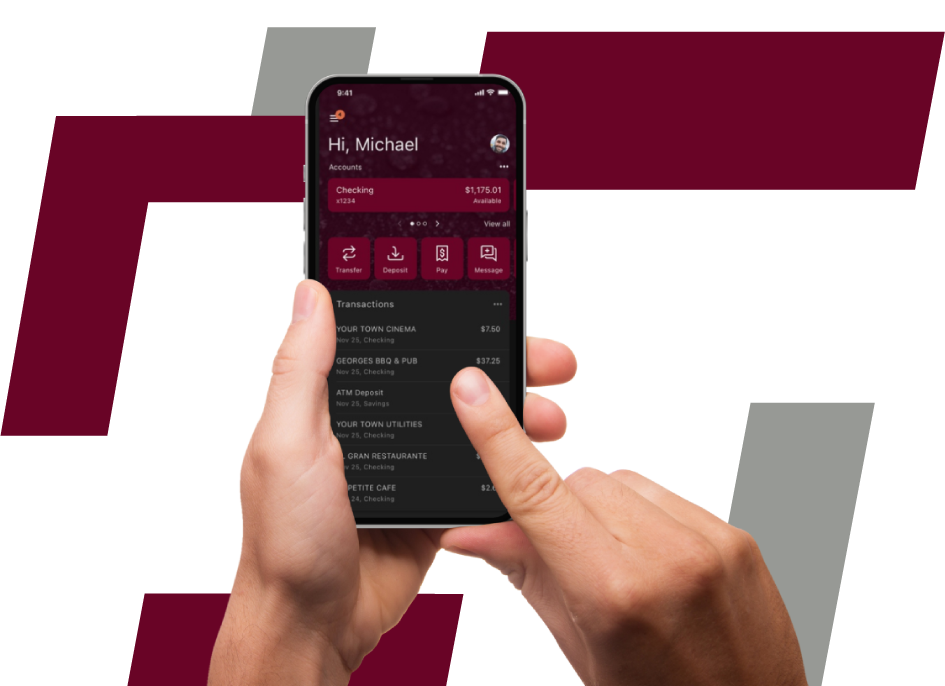
Bank on your schedule—right from your smartphone or tablet with the help of LECUMobile.
With just a few clicks, you can:
- Transfer funds between accounts
- Make loan payments
- View balances and transaction history
- Access e-Statements
- Send secure messages to LECU
- Set up account alerts and notifications
Enjoy the same powerful features as Online Banking, optimized for your mobile device. All transactions update instantly, giving you real-time access to your finances—anytime, anywhere.*
*Cellular data and rates may apply.
Transfer to other members' accounts
Send us a secure message
Deposit checks from anywhere (with the app)
Apply for loans and open new accounts
Schedule and track your bill payments
New Users Sign Up Here
Before getting started, make sure you know your member number and have your current phone number and email address on file with LECU.
Already enrolled? Login here
Mobile Wallet
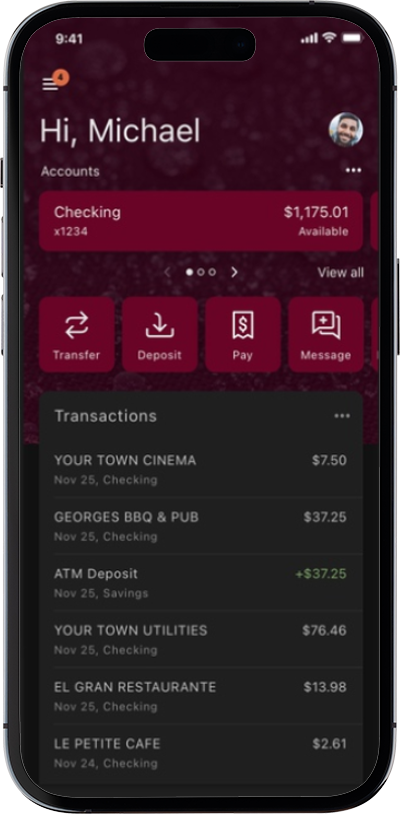
Key Features of a Mobile Wallet:
- Contactless Payments: Tap your phone at a terminal (using NFC) to pay.
- Stored Cards: Securely saves your credit/debit card details
- Loyalty & Rewards: Some wallets store rewards programs and digital coupons.
- Peer-to-Peer Payments: Send or receive money instantly (e.g., Apple Cash, Venmo).
- Ticket & Pass Storage: Plane tickets, concert passes, etc., can be stored digitally.
Popular Mobile Wallet Apps:
Platform
Example
Notes
Apple Devices
Apple Wallet / Apple Pay
iPhone & Apple Watch compatible
Android Devices
Google Wallet / Google Pay
Integrated with Android & Wear OS
Cross-platform
Paypal, Venmo, Cash App
Peer-to-peer and merchant payments
Retail-specific
Starbucks, Walmart Pay
Only usable in their own ecosystems
Is It Safe?
Yes—mobile wallets use encryption, tokenization, and biometric authentication (like Face ID or fingerprints) for security. They often offer more protection than physical cards.
How can I get started?
Choose your mobile wallet to learn how to set it up:



How to Add Your Leading Edge Debit or Credit Card to Your Mobile Wallet

Apple Pay
• iPhone®: Open the Wallet app and tap the “+” icon. Just follow the prompts to complete the setup.
• Apple Watch®: On your iPhone, open the Apple Watch app, go to “Wallet & Apple Pay,” then tap “Add Credit or Debit Card.” Follow the instructions on screen.
• iPad®: Head to settings, choose “Wallet & Apple Pay,” and select “Add Credit or Debit Card.” The app will guide you through the rest.


Online/Remote Banking
Secure, convenient access to your account—any time of day, from any computer.
With just a few clicks, you can:
- Transfer funds between accounts
- Make loan payments
- View balances and transaction history
- Access e-Statements
- Send secure messages to LECU
All activity is updated in real time, so your account reflects changes immediately. You can also set up custom email alerts for specific transactions, helping you stay informed and in control.
Frequently Asked Questions
How do I access digital banking?
B
C
You can access the new digital banking and your account on a desktop, laptop, mobile phone, or other internet-accessible device. Simply log in with your existing online banking credentials to both online and mobile banking. There are two access points:
- Visit our website and click Log In to get started
- Download the NEW mobile banking app from Google Play or Apple Store
Note: You will not be able to access the website via old bookmarks or the previous mobile banking app.
What is 2-factor authentication and why is it used by the digital banking system?
B
C
Two-factor authentication is a security measure that allows you to request a one-time access code to log in to digital banking. The code enhances the security by creating an added layer on top of your unique username and password. This security process helps to verify you and better protect your credentials and the account you can access.
How do I view my account statements and tax documents in digital banking?
B
C
Account statements and tax documents can be downloaded from digital banking. These are only available for accounts already enrolled in eStatements.
- Log In
- Click on any account listed
- Click on eStatements from the Account Details page in the options menu
- Statements and Taxes will be listed for each year available